A GFCI interrupts power when it detects a ground-fault imbalance. Resetting it restores service only when the device and circuit allow it; a button that refuses to stay in can be telling you something is wrong. Its indicator colors and reset behavior depend on the model.
In a dry, undamaged setup, unplug connected loads, press RESET and test the outlet. Stop if it will not reset or trips again.
Go straight to the stepsBefore you begin
Do not touch a wet, hot, scorched, buzzing or damaged outlet. Keep away from flood-affected electrical equipment and get qualified help. This guide does not involve opening the box or touching wiring.
What you’ll need
- The outlet’s instructions
- A small working lamp for the button test
- Dry hands and a dry accessible area
Let’s do this
Step by step
- 01
Check the surroundings first
Look for water, damaged cords or a problem appliance. If any electrical part is wet or unsafe, do not handle it. In a safe dry setup, unplug the loads supplied by the affected outlet, including known downstream outlets if applicable.
- 02
Find the protecting device
The dead receptacle may be protected by a GFCI elsewhere, such as in a bathroom, garage or utility area. Identify its TEST and RESET buttons. Do not assume a normal-looking dead outlet has its own reset.
- 03
Press RESET as directed
With a safe dry setup, press the reset button firmly according to the device’s instructions. Do not wedge it in, hold it defeated or repeatedly force a failed reset. Some devices cannot reset without supply power or when they detect a fault.
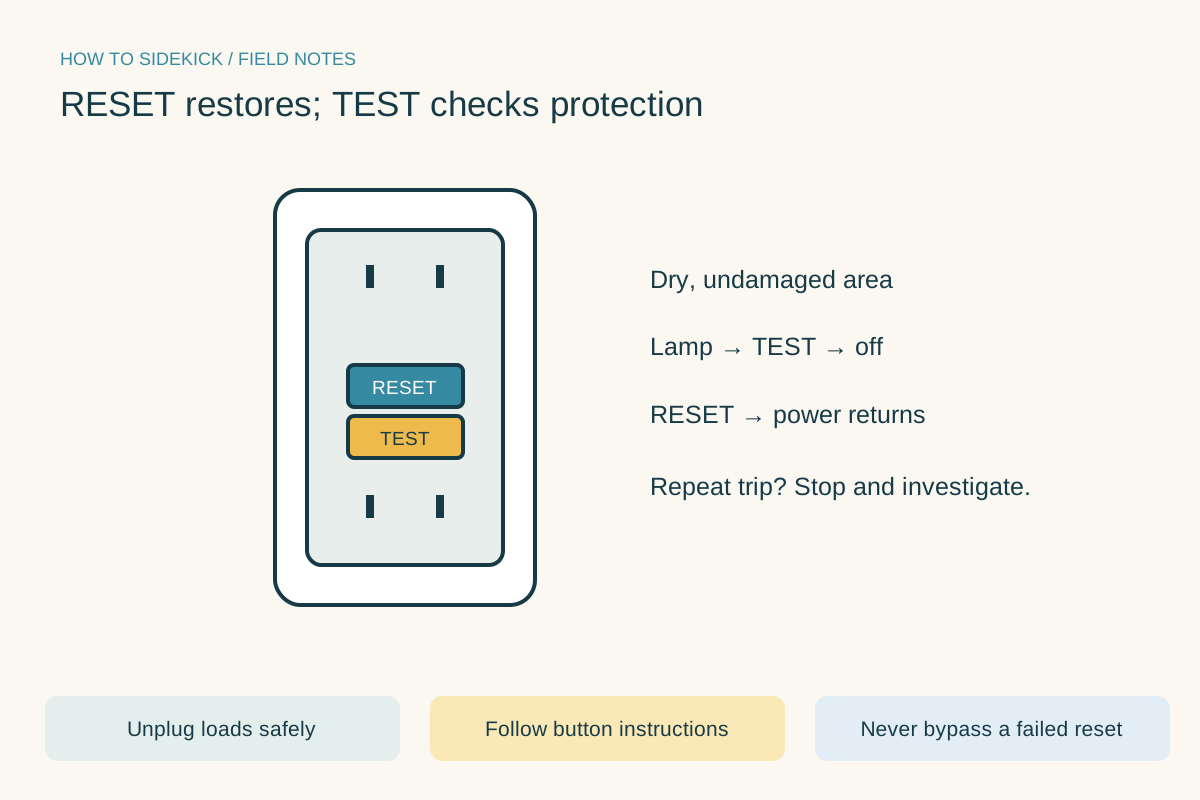
RESET restores; TEST checks protection. Use the instructions below for the full procedure.Open full-size image - 04
Perform the button test
Plug in a small lamp and confirm it lights. Press TEST: the lamp should turn off. Press RESET: power should return. Follow the model’s instructions if the result differs; do not rely on an outlet that fails this test.
- 05
Reconnect cautiously and observe
If the test passes, reconnect only undamaged loads in a dry area. If one appliance causes another trip, leave it disconnected and have the cause investigated. Repeated tripping with no load, a failed test or an unexplained lockout needs an electrician.
When a replacement is premature
An upstream power loss, connected fault or failed device can produce similar symptoms. A new receptacle is not a guaranteed fix. Diagnose safely before buying parts, and have wiring or replacement work handled by someone qualified.
A quick final check
- Area dry and undamaged
- Connected loads checked
- TEST removed power
- RESET restored power without repeat trip
Common questions & sticking points
Why will RESET not stay in?
The cause may be absent supply power, a connected fault, wiring problems or device failure. Stop forcing it and use the manufacturer’s troubleshooting guidance or an electrician.
How often should I test it?
Follow its instructions; monthly manual testing is commonly specified even for self-testing models. Keep the test accessible and do not bypass it.
Sources & further reading Optional
References used to check this guide. Follow your product’s own safety instructions where its design differs.
- ESFI: GFCI use and button testing
- Leviton: GFCI reset lockout guidance
- Leviton: GFCI operation and troubleshooting